
Imagine you own a real estate company, coaching centre, interior design business, clinic, or digital marketing agency. You are running advertisements on Facebook and Instagram, but you are struggling to turn people’s interest into actual customer enquiries.
People may see your advertisements, like your posts, or visit your profile without taking the next step. You want a simple way for interested customers to contact your business and ask questions.
This is where WhatsApp lead generation can help.
By learning how to generate WhatsApp leads using Meta Ads, you can create advertisements that allow potential customers to start a conversation with your business directly through WhatsApp. Instead of asking everyone to complete a lengthy form, you give interested people a familiar way to enquire about your products or services.
However, generating messages is only one part of the process. You also need the right audience, a clear offer, effective advertisement copy, timely responses, and a process for identifying serious customers.
In this guide, you will learn how to set up Meta Ads for WhatsApp, choose your target audience, create advertisements, manage incoming enquiries, and measure campaign performance.
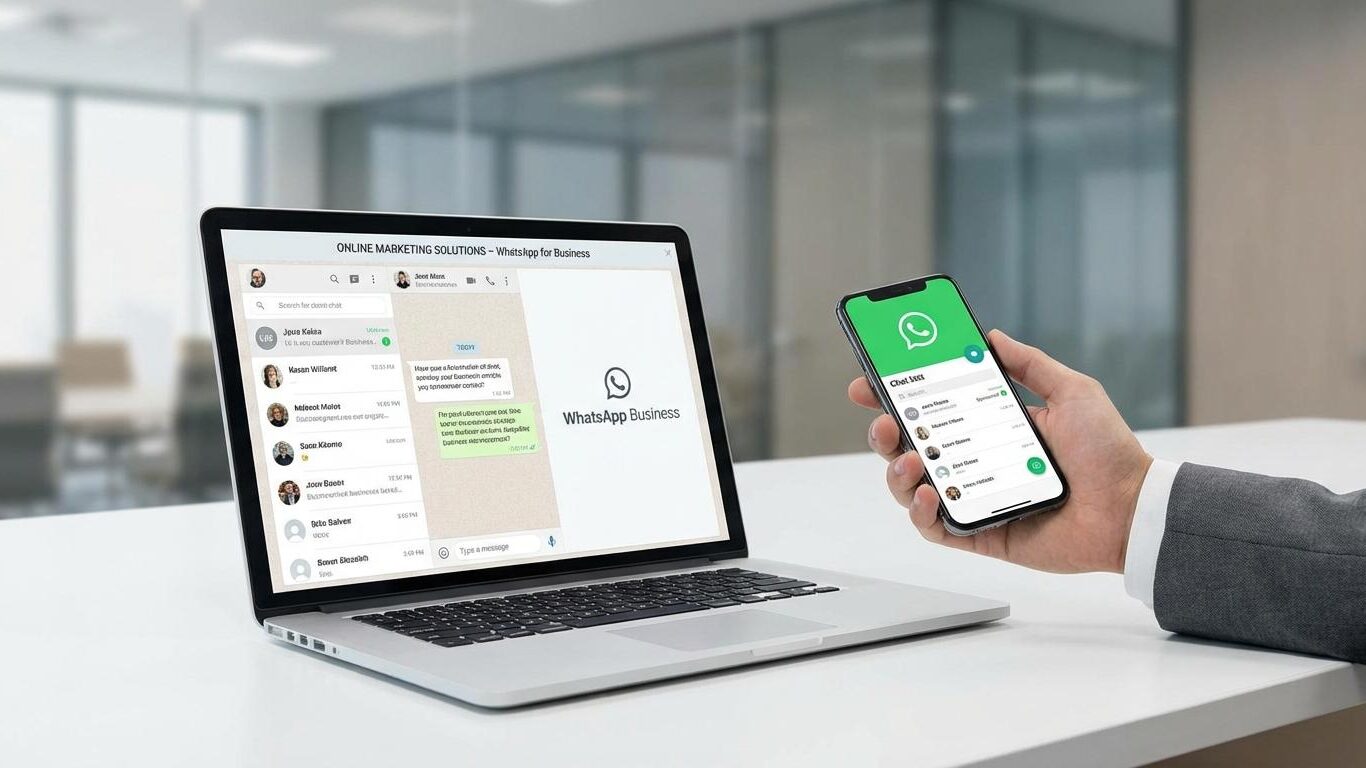
What Are WhatsApp Leads?
WhatsApp leads are people who contact your business through WhatsApp because they are interested in your products or services.
For example, imagine you run an interior design company in Vizag. Someone sees your Instagram advertisement showcasing a completed home interior project. They click the WhatsApp button and ask about your services and pricing.
That person is a potential lead.
However, not every person who sends a message will become a customer. Some people may simply be collecting information, while others may have a genuine requirement and be ready to purchase.
Your goal should be to attract relevant enquiries, understand customer needs, and guide suitable prospects towards a purchase.
What Are Meta Ads?
Meta Ads are paid advertisements that businesses can run across platforms such as Facebook and Instagram. Depending on the campaign setup, eligible placements and configurations may also support other Meta advertising surfaces.
Businesses use Meta Ads to promote their services, generate enquiries, increase sales, and reach potential customers.
One useful advertising format is an ad that clicks to WhatsApp. When someone sees the advertisement and clicks its call-to-action button, they can open a WhatsApp conversation with the business.
This creates a direct connection between advertising and customer communication.
For example:
- A real estate company can invite people to enquire about available properties.
- A coaching centre can receive questions about courses and admission dates.
- An interior designer can discuss project requirements with homeowners.
- A digital marketing agency can receive enquiries about advertising and SEO services.
The objective is not simply to get people to click. It is to encourage the right people to start useful conversations.
Why Should Businesses Use WhatsApp for Lead Generation?
WhatsApp can make the enquiry process more convenient for customers who prefer messaging instead of filling out forms or making phone calls.
Here are some important benefits of using WhatsApp marketing for businesses.

1. Make Customer Enquiries Easier
Some customers do not want to complete a long enquiry form just to ask a simple question.
A WhatsApp advertisement gives them a direct way to ask about pricing, availability, service details, or other requirements.
For example, a customer interested in a coaching programme may simply want to know the fees and next batch start date.
2. Build Trust Through Direct Communication
Customers often have questions before they make a purchasing decision.
You can use WhatsApp to explain your services, share relevant information, clarify pricing, and help people understand whether your offer suits their needs.
Clear and professional communication can make the buying process easier.
3. Understand Customer Requirements
A WhatsApp conversation allows you to ask relevant questions before recommending a product or service.
An interior designer might ask about the property location, type of project, and expected timeline. A digital marketing agency might ask about the business type, marketing goals, and services required.
These answers help you identify suitable prospects.
4. Support Local Business Marketing
Local businesses can use Meta Ads WhatsApp campaigns to reach potential customers in their intended service areas.
For example, a plumber serving particular neighbourhoods in Vizag can advertise to relevant local audiences. A real estate company can promote property enquiries to people in locations appropriate for its offering.
Your advertising area should match the locations you can actually serve.
5. Shorten the Path From Advertisement to Enquiry
A customer does not always need to visit a separate website before contacting your business.
With an eligible click-to-WhatsApp ad, the customer can move from the advertisement to a conversation in a few steps.
This can simplify the enquiry process, although the actual results will depend on the offer, audience, advertising costs, and customer experience.
How to Generate WhatsApp Leads Using Meta Ads: Step-by-Step Setup
Before launching your campaign, prepare your WhatsApp account, advertising offer, and customer response process. Following these steps will help you create a campaign with a clear purpose.
Step 1: Set Up Your WhatsApp Business Account
Start by setting up your business communication channel.
WhatsApp Business is generally a suitable choice for small and medium-sized businesses because it includes features designed to help manage customer conversations.
Complete these basic tasks:
- Add your correct business name and profile picture.
- Write a short description explaining your products or services.
- Add your business hours and relevant contact details.
- Include your website address if you have one.
- Prepare a greeting message for new enquiries.
- Create quick replies for frequently asked questions.
- Use conversation labels to organise incoming leads.
For example, a digital marketing agency could use labels such as New Enquiry, Qualified Lead, Follow-Up Required, and Converted Customer.
These labels make it easier to track enquiries as they move through your sales process.
Practical tip: Ask a colleague or friend to send a test message before launching your advertisement. Check whether the message reaches the correct account and whether your team can respond.
Step 2: Connect WhatsApp to Your Facebook Page
Your WhatsApp account must be connected correctly to the relevant business assets for the advertising setup you intend to use.
Depending on your account and interface, you may be able to connect WhatsApp through your Facebook Page settings, Meta Business Suite, or the WhatsApp Business app.
Make sure you:
- Have access to the correct Facebook Page.
- Select the correct WhatsApp Business phone number.
- Complete any verification or permission steps requested by Meta.
- Check that the account is available for the intended advertising setup.
You can consult the official WhatsApp Business website for information about ads that click to WhatsApp.
Do not assume the connection is working until you have tested it.
Step 3: Open Meta Ads Manager and Create a Campaign
Open Meta Ads Manager and select the correct advertising account.
Click Create to start a new campaign.
For a campaign focused on WhatsApp enquiries, look for an objective and conversion configuration that supports messaging or leads through WhatsApp.
Depending on the options available in your account, you may be able to select the Leads objective and choose WhatsApp as the conversion location. Other eligible campaign configurations may also support WhatsApp conversations.
The exact menu labels and available settings can change, so follow the options shown in your own Ads Manager.
Before continuing, define your campaign goal. For example:
- Generate enquiries about a service.
- Receive requests for a product catalogue.
- Schedule consultations.
- Collect property enquiries.
- Discuss course admissions with prospective students.
A clear goal makes it easier to evaluate whether your campaign is working.
Step 4: Choose WhatsApp as the Messaging Destination
At the ad set level, review the available conversion location or messaging destination settings.
Select WhatsApp if it is supported by your chosen campaign configuration.
Next, choose the correct Facebook Page and WhatsApp Business number.
Review the performance goal offered by Meta. Depending on the setup, you may see an option to optimise for messaging conversations or another relevant action.
Choose the option that best matches your intended outcome.
For example, if your main goal is to receive customer enquiries, you want a setup aligned with conversations rather than simply increasing the number of people who see your advertisement.
Check the destination carefully before publishing. Sending potential customers to the wrong number can waste advertising spend and create a poor customer experience.
Step 5: Choose Your Target Audience
Audience selection is an important part of any Meta Ads lead generation strategy.
Your advertisement should reach people who are likely to need your product or service. A large audience is not necessarily a useful audience if most people have no interest in your offer.
Start by answering these questions:
- Who is your ideal customer?
- Where does that customer live or work?
- What problem does your service solve?
- What information would encourage the customer to enquire?
For example, an interior design company in Vizag may focus on people in locations it serves and use suitable creative that explains its interior design services.
A coaching centre may focus on its relevant service area and communicate course details to prospective students or parents.
Use the targeting controls available in your account. Meta may offer Advantage+ audience features or other automated targeting options, depending on the campaign.
Avoid assuming that one targeting method will work for every business. Monitor the quality of incoming enquiries and make informed adjustments.
Step 6: Set a Realistic Advertising Budget
Choose a budget your business can afford to test without putting unnecessary pressure on its finances.
Your budget should reflect your objectives, audience, competition, expected sales value, and ability to handle incoming enquiries.
For example, a business might test an illustrative budget of ₹300 per day for seven days.
The planned advertising spend would be:
₹300 × 7 days = ₹2,100.
This is only an example, not a guaranteed minimum budget or a promise that you will receive a particular number of leads.
Before launching, decide what you want to learn from the campaign. You may want to compare two advertisements, understand the cost of a relevant enquiry, or determine whether your offer attracts serious prospects.
Allow enough time and budget to gather useful information, while monitoring spending and campaign delivery.
Step 7: Create Your Advertisement
Your advertisement should communicate three things clearly:
- What you are offering.
- Why it may be useful to the customer.
- What the customer should do next.
Use a relevant image or video, a clear headline, and straightforward copy.
For example, instead of writing:
We provide the best services at the best prices.
Try:
Need help getting more enquiries for your business? Chat with our team about Meta Ads, Google Ads, and SEO.
The second message identifies a business need and explains what the customer can discuss.
Use a clear call to action, such as a WhatsApp messaging option where available. Make sure your creative and landing conversation communicate the same offer.
Step 8: Review and Publish Your Campaign
Before publishing, check the campaign from top to bottom.
- Is the campaign objective appropriate?
- Is the intended WhatsApp number selected?
- Does the advertisement explain the offer clearly?
- Is the audience relevant to your service?
- Is the budget correct?
- Are the image, headline, and primary text accurate?
- Does the call to action work?
- Can someone respond to new messages?
Check the available placements and previews for Facebook and Instagram. The advertisement should look clear and professional wherever it is eligible to appear.
Once everything is correct, publish the campaign and monitor its delivery in Ads Manager.
Do not make repeated changes simply because the first few hours produce limited results. Review the available data in context and make adjustments based on evidence.
How to Write Effective Facebook Ads for WhatsApp
Your campaign settings determine how the advertisement is delivered, but your creative and message help persuade potential customers to contact you.
Use this simple framework.
1. Start With a Real Customer Problem
Think about the challenge your ideal customer wants to solve.
For example:
- A business owner wants more customer enquiries.
- A homeowner wants to improve the appearance of a property.
- A parent wants information about a coaching programme.
- A car owner wants details about vehicle detailing services.
Your opening line should be relevant to the intended audience rather than trying to appeal to everyone.
2. Explain Your Offer Clearly
Tell the customer what they can enquire about.
Possible offers include a consultation, a service quotation, a course information pack, a product catalogue, or a property viewing.
Only promote offers that your business can genuinely provide.
3. Use a Direct Call to Action
Tell people exactly what to do next.
Examples include:
- Message us on WhatsApp to discuss your requirements.
- Chat with our team to learn about available packages.
- Send us a message for property details.
- Contact us on WhatsApp to ask about course admissions.
Avoid vague calls to action that do not explain what happens after someone clicks.
Sample WhatsApp Advertisement for DigimindPro
Primary text:
Are you struggling to generate customer enquiries for your business?
DigimindPro helps businesses explore digital marketing solutions, including Meta Ads, Google Ads, and SEO.
Want to understand which marketing approach may suit your business goals?
Tap the WhatsApp button and tell us about your business. Our team can discuss your requirements and help you explore suitable options.
Headline: Looking for More Customer Enquiries?
Call to action: Use the available WhatsApp messaging option in Ads Manager.
Creative idea: Use a professional image showing a business owner reviewing enquiries, or a clean graphic highlighting Meta Ads, Google Ads, and SEO.
This advertisement invites customers to start a conversation without promising a specific number of leads or sales.
How to Create a Useful WhatsApp Welcome Message
The first message a customer receives can influence how smoothly the conversation progresses.
Prepare a welcome message that acknowledges the enquiry and helps the customer take the next step.
For example:
Welcome message
Hello! Thank you for contacting DigimindPro.
We help businesses explore digital marketing services, including Meta Ads, Google Ads, SEO, and website design.
To help us understand your requirements, please tell us:
- What type of business do you run?
- Which service are you interested in?
- What is your main marketing goal?
Our team will review your answers and help you understand the available options.
Thank you for reaching out!
Keep your welcome message short enough to read easily. If you offer several services, avoid overwhelming the customer with a long list of questions immediately.
You can also use quick replies for common questions about pricing, service availability, consultation arrangements, and working hours.
Example: A WhatsApp Conversation That Qualifies a Lead
Imagine a person clicks a Meta Ads advertisement promoting website design services.
The conversation might look like this:
Business: Hello! Thank you for contacting us. Are you looking for a new website or improvements to an existing website?
Customer: I need a website for my interior design business.
Business: Certainly. Which location do you primarily serve, and what type of website do you need?
Customer: I serve customers in Vizag. I need a website to showcase my projects and receive enquiries.
Business: Understood. Do you already have a website, or would this be a new project?
Customer: It would be a new project.
Business: Thank you. We can discuss the pages you need, your preferred features, and your budget before recommending a suitable approach. Would you prefer to arrange a consultation?
This conversation works because it is focused on the customer’s requirements. The business is not immediately pushing a sale or asking for unnecessary personal information.
The next step could be a consultation, quotation, or suitable service recommendation.
Seven Practical Tips to Improve WhatsApp Lead Generation
Tip 1: Promote One Main Offer at a Time
Avoid promoting every service in a single advertisement.
If you offer SEO, website design, Google Ads, and Meta Ads, consider creating separate campaigns or advertisements for the services you want to test.
A focused message makes it easier for customers to understand what they are enquiring about.
Tip 2: Make the First Message Easy
Where supported, configure a suggested or prefilled message that helps customers start the conversation.
For example:
Hi, I would like to know more about your Meta Ads services.
This gives the customer a starting point and helps your team identify the reason for the enquiry.
Tip 3: Respond Promptly
A potential customer may contact several businesses while comparing options.
If your business takes too long to reply, the customer may move on.
Assign responsibility for new enquiries, prepare helpful quick replies, and set realistic expectations about response times.
Do not send repetitive promotional messages to people who have not agreed to receive them.
Tip 4: Qualify Enquiries Naturally
Not every WhatsApp message represents a potential sale.
Ask a few relevant questions to understand the customer’s needs, budget where appropriate, location, and expected timeline.
Keep questions relevant to the service and avoid collecting unnecessary personal information.
Tip 5: Test Different Ad Creatives
Your first advertisement may not be the best one.
You can test different creative approaches, such as:
- An image that highlights a customer problem.
- A short video explaining the service.
- A creative focused on a genuine offer.
- A customer testimonial that you have permission to use.
Change important variables methodically so you can learn which creative attracts more relevant enquiries.
Tip 6: Track Lead Quality, Not Just Message Volume
A campaign can generate many conversations without producing serious business opportunities.
Record the number of relevant enquiries, qualified leads, consultations, and sales. This helps you understand whether your advertisements are attracting people who are likely to purchase.
Tip 7: Follow Up Respectfully
Some customers need time to compare offers or make a decision.
If a person has expressed interest, a relevant follow-up may help.
For example:
Hello! You previously enquired about our website design services. Would you like us to share more details about the available options?
Respect the person’s preferences, comply with applicable messaging requirements, and stop promotional follow-ups when someone indicates that they do not want them.
Realistic Example: WhatsApp Lead Generation for a Business in Vizag
Consider a hypothetical interior design company serving homeowners in Vizag.
The company wants to attract people who are planning to renovate their homes or design a new property. It decides to run a Meta Ads campaign that encourages interested people to request an initial discussion.
The company creates an advertisement showing examples of its interior projects. The copy explains the service and invites potential customers to enquire through WhatsApp.
When someone sends a message, the team asks about the property location, project requirements, and expected timeline. It then identifies suitable prospects and arranges consultations where appropriate.
Suppose the company spends ₹2,100 and receives 30 new conversations during a campaign. These are illustrative figures, not expected or guaranteed results.
Its team reviews the conversations and finds that 12 are relevant enquiries.
The cost per relevant enquiry is:
Cost per relevant enquiry = Total advertising spend ÷ Number of relevant enquiries
₹2,100 ÷ 12 = ₹175 per relevant enquiry.
This does not mean that each customer costs ₹175. It means the campaign spent ₹175 for each enquiry classified as relevant in this example.
The company would still need to track consultations, sales, and revenue to understand whether the campaign is commercially worthwhile.
The important lesson is to measure the quality of conversations rather than judging success only by the number of messages received.
Common Mistakes to Avoid in WhatsApp Lead Generation
Targeting the Wrong Audience
If your advertisement reaches people who are unlikely to need your service, you may receive irrelevant enquiries.
Define your ideal customer, service area, and offer before launching. Review the quality of actual conversations to determine whether the campaign is reaching suitable people.
Using Unclear Advertisement Copy
If people cannot understand what you offer, they may ignore the advertisement or send messages without understanding your service.
Use a clear headline, relevant creative, and direct call to action.
Sending Customers to the Wrong WhatsApp Number
Always test your advertisement’s destination before publishing.
Confirm that the correct WhatsApp Business number is connected and that someone can access incoming messages. This simple check can prevent unnecessary confusion.
Ignoring Incoming Enquiries
Running advertisements is not enough. Someone must handle the conversations they generate.
If your business cannot respond consistently, consider assigning a team member or establishing a clear process for managing new enquiries.
Making Changes Too Frequently
Repeatedly changing your audience, budget, creative, and campaign settings can make it difficult to understand which changes affect performance.
Allow time to collect useful data, monitor delivery, and make deliberate adjustments rather than reacting to every short-term fluctuation.
Focusing Only on Cheap Leads
A low cost per message does not automatically mean a profitable campaign.
A more expensive enquiry may be more valuable if it comes from a customer who genuinely needs your service and is more likely to purchase.
Evaluate both cost and quality.
How to Measure Meta Ads WhatsApp Campaign Performance
Use a spreadsheet or reporting system to record the results of each campaign.
Track these seven metrics:
1. Advertising spend: The amount spent on the campaign during the reporting period.
2. Conversations started: The number of conversations attributed to your advertisement, based on the metrics available in Ads Manager.
3. Relevant enquiries: Conversations that match your target customer profile.
4. Cost per conversation: Advertising spend divided by the number of attributed conversations.
5. Cost per qualified lead: Advertising spend divided by the number of enquiries that meet your qualification criteria.
6. Customers acquired: The number of leads who eventually become paying customers.
7. Cost per acquired customer: The advertising spend divided by the number of customers acquired, provided you can reliably attribute those customers to the campaign.
For more advanced measurement, eligible businesses may use Meta’s available tracking and conversion tools, including the Meta Pixel, Conversions API, or offline conversion measurement, where appropriate to their setup.
Keep your reporting definitions consistent. For example, do not count every new message as a qualified lead if some conversations are irrelevant or accidental.
Troubleshooting: Why Are Your WhatsApp Ads Not Generating Leads?
If your campaign is active but results are disappointing, check the following areas before increasing your budget.
Your Advertisement Gets Views but Few Clicks
Your creative may not communicate a relevant benefit, or your offer may not appeal to the intended audience.
Try a clearer headline, a more relevant image, or an offer that addresses a specific customer need.
People Click but Do Not Start Conversations
Review the complete journey from advertisement to WhatsApp.
Check whether the destination works, the correct number is connected, and the suggested opening message makes sense. Make the reason for contacting your business clear in the advertisement.
You Receive Messages but Few Qualified Leads
Your advertisement may be attracting curiosity rather than genuine purchase intent.
Explain your service more clearly, communicate important requirements upfront, and test a more specific offer. Review the actual conversations before making targeting changes.
Qualified Leads Do Not Become Customers
The issue may be outside the advertisement itself.
Review your response time, pricing clarity, consultation process, service fit, and follow-up approach. Ask whether potential customers are receiving the information they need to make a decision.
Do not assume that every poor sales outcome is caused by targeting. The entire journey from advertisement to customer purchase matters.
Frequently Asked Questions
1. How do I generate WhatsApp leads using Meta Ads?
Connect your WhatsApp Business account to the relevant business assets, create a campaign that supports WhatsApp conversations in Meta Ads Manager, select an appropriate audience, prepare clear advertisement copy, and monitor incoming enquiries. Follow up with suitable prospects and measure lead quality.
2. Can I run Facebook and Instagram ads directly to WhatsApp?
Yes. Eligible Meta advertising configurations allow ads on Facebook and Instagram to open a WhatsApp conversation. The available placements and settings depend on your account, campaign objective, and current Ads Manager options.
3. What is the best budget for WhatsApp lead generation ads?
There is no single budget that works for every business. Choose an amount you can afford to test, define what you want to learn, and evaluate the cost and quality of enquiries. Increase spending only when the results support your business goals.
4. Are WhatsApp leads better than website form leads?
Neither channel is always better. WhatsApp can suit customers who prefer immediate conversations, while website forms can be useful when you need structured information. Choose the channel that fits your audience, sales process, and ability to manage enquiries.
5. How can I convert WhatsApp enquiries into paying customers?
Respond professionally, understand the customer’s requirements, share relevant information, explain your offer, and follow up appropriately. Track qualified leads and completed sales to understand which campaigns attract valuable customers.
Conclusion: Start Generating WhatsApp Leads Using Meta Ads
Learning how to generate WhatsApp leads using Meta Ads is about more than creating an advertisement. It requires a clear offer, a suitable audience, compelling creative, a working WhatsApp Business setup, and a consistent process for responding to enquiries.
Start with one service or offer, test your campaign with a manageable budget, and measure relevant enquiries instead of focusing only on clicks or conversation volume.
As you collect results, improve your advertisement copy, refine your audience where appropriate, and strengthen your follow-up process.
For businesses in Vizag and across Andhra Pradesh, WhatsApp advertising can be one useful part of a broader digital marketing strategy.
Need help planning your Meta Ads campaign?
DigimindPro helps businesses explore digital marketing solutions, including Meta Ads, Google Ads, SEO, and website design. Contact DigimindPro to discuss your business goals and identify a suitable approach for attracting and managing customer enquiries.